Ghost CMS 推薦文章功能完整教學
學習如何在 Ghost CMS 網站增加推薦文章功能,提升讀者留存率與頁面瀏覽量。附完整 Handlebars 程式碼與 CSS 樣式教學。
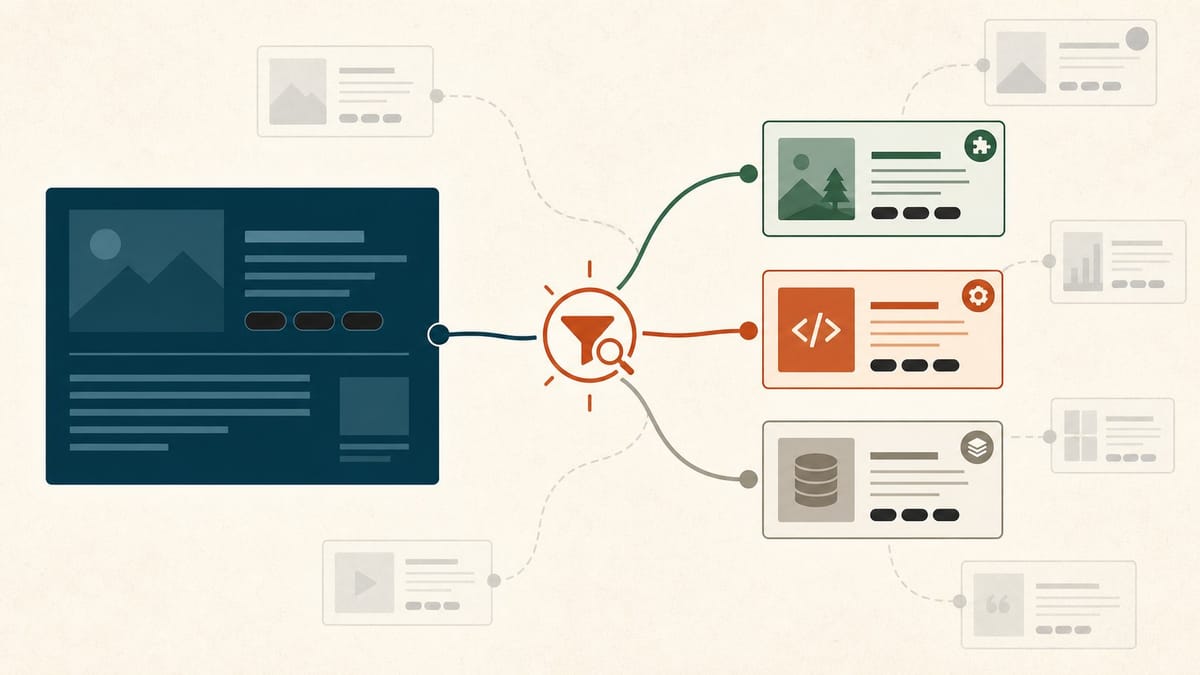
你是否注意到,讀者讀完一篇文章後就離開了?推薦文章功能是解決這個問題的最有效方法之一。在 Ghost CMS 中,雖然官方沒有內建推薦文章的 UI 設定,但透過 Handlebars 模板語法,你可以靈活實作出符合需求的推薦文章區塊。
本文將帶你從零開始,完整設定 Ghost CMS 的推薦文章功能,包含同標籤推薦、手動指定,以及樣式調整技巧。
為什麼推薦文章對你的網站很重要
推薦文章不只是「好看的功能」,它直接影響網站的核心指標:
- 降低跳出率:讀者有下一步可走,不會直接關閉頁面
- 提升頁面瀏覽量:每位訪客平均瀏覽更多頁面
- 強化 SEO:增加內部連結,幫助搜尋引擎爬取更多內容
- 提升訂閱轉換:讓讀者對你的內容產生信任感,更願意訂閱
方法一:使用同標籤自動推薦(最常用)
這是最實用的做法:顯示與當前文章相同標籤的其他文章。
步驟 1:找到文章模板
在你的 Ghost 主題目錄中,找到 post.hbs(文章頁面模板)。
your-theme/
├── post.hbs        ← 修改這個檔案
├── index.hbs
├── default.hbs
└── assets/
步驟 2:加入推薦文章區塊
在 post.hbs 的文章內容結尾({{/post}}之前),加入以下程式碼:
{{#if tags}}
<section class="related-posts">
  <h2>推薦閱讀</h2>
  <div class="related-posts-grid">
    {{#get "posts"
      filter="tags:[{{tags.[0].slug}}]+id:-{{id}}"
      limit="3"
    }}
      {{#foreach posts}}
        <article class="related-post-card">
          {{#if feature_image}}
            <a href="{{url}}">
              <img src="{{feature_image}}" alt="{{title}}" loading="lazy">
            </a>
          {{/if}}
          <div class="related-post-content">
            <h3><a href="{{url}}">{{title}}</a></h3>
            <p>{{excerpt words="20"}}</p>
            <span class="reading-time">{{reading_time}}</span>
          </div>
        </article>
      {{/foreach}}
    {{/get}}
  </div>
</section>
{{/if}}
步驟 3:加入 CSS 樣式
.related-posts {
  margin-top: 4rem;
  padding-top: 2rem;
  border-top: 1px solid #e5e7eb;
}
.related-posts-grid {
  display: grid;
  grid-template-columns: repeat(auto-fit, minmax(280px, 1fr));
  gap: 1.5rem;
}
.related-post-card {
  border: 1px solid #e5e7eb;
  border-radius: 8px;
  overflow: hidden;
  transition: box-shadow 0.2s;
}
.related-post-card:hover {
  box-shadow: 0 4px 12px rgba(0, 0, 0, 0.1);
}
.related-post-card img {
  width: 100%;
  height: 180px;
  object-fit: cover;
}
.related-post-content {
  padding: 1rem;
}
.reading-time {
  font-size: 0.75rem;
  color: #9ca3af;
}
方法二:使用內部標籤精準控制推薦
Ghost 支援「內部標籤」(以 # 開頭),可以用來做精準分類而不顯示在前台。修改 filter 條件:
{{#get "posts"
  filter="tags:[#series-laravel]+id:-{{id}}"
  limit="3"
  order="published_at desc"
}}這樣就能推薦同一個系列的文章,非常適合教學系列文。
方法三:Ghost Content API 動態載入
如果你需要更複雜的推薦邏輯,可以透過 Ghost Content API 在前端動態載入:
const tag = document.querySelector('meta[property="article:tag"]')?.content;

if (tag) {
  fetch(`/ghost/api/content/posts/?key=YOUR_API_KEY&filter=tags:${tag}&limit=3&fields=title,url,feature_image,excerpt`)
    .then(res => res.json())
    .then(data => renderRelatedPosts(data.posts));
}
常見問題排除
| 問題 | 原因 | 解決方式 |
|---|---|---|
| 推薦文章沒有顯示 | 文章沒有設定標籤 | 確保文章至少有一個標籤 |
| 顯示了當前文章自己 | filter 條件錯誤 | 確認 id:-{{id}} 有正確加入 |
| 樣式跑版 | CSS 權重衝突 | 加上更具體的選擇器 |
| 只顯示 1-2 篇 | 同標籤文章不足 3 篇 | 改用多標籤 filter 或降低 limit |
FAQ
Ghost 有內建推薦文章功能嗎?
Ghost 官方目前沒有提供 UI 設定推薦文章的功能,但透過 {{#get}} Handlebars helper 可以自行實作,靈活度反而更高。
推薦文章會影響網站速度嗎?
{{#get}} 是伺服器端渲染,對頁面速度影響極小。使用 Content API 的動態方式則需注意 API 請求的延遲。
可以推薦來自不同標籤的文章嗎?
可以,使用 filter="tags:[tag-a,tag-b]" 即可指定多個標籤範圍。
如何讓推薦文章依發布時間排序?
在 {{#get}} 加入 order="published_at desc" 參數即可。
結語
在 Ghost CMS 增加推薦文章功能並不複雜,只需要修改 post.hbs 模板,善用 {{#get}} helper 搭配標籤篩選,就能讓讀者自然地繼續閱讀更多內容。